
You’ve created an excellent Divi child theme. The design is complete, the Theme Builder header and footer are perfect, the Design System with global colors and CSS variables is set up, and the demo content is ready. The page in your preview looks exactly as you envisioned.
And now comes the problem every Divi developer knows: what does the customer actually get?
A standard Divi layout pack delivers only a fraction of what the customer saw in the demo. Content, global styles, Theme Builder templates, and settings must be manually reconfigured – and the result rarely looks like the demo. Technical users might manage, but others give up and request a refund.
Divi Full Site Exporter PRO solves exactly that. Its main function is not migration or backup – it is generating a standalone, branded installation plugin that the customer installs with one click and gets exactly what you built. The customer doesn’t need DFE, doesn’t need technical knowledge, doesn’t need anything except a fresh WordPress installation with an active Divi license.
How it actually works
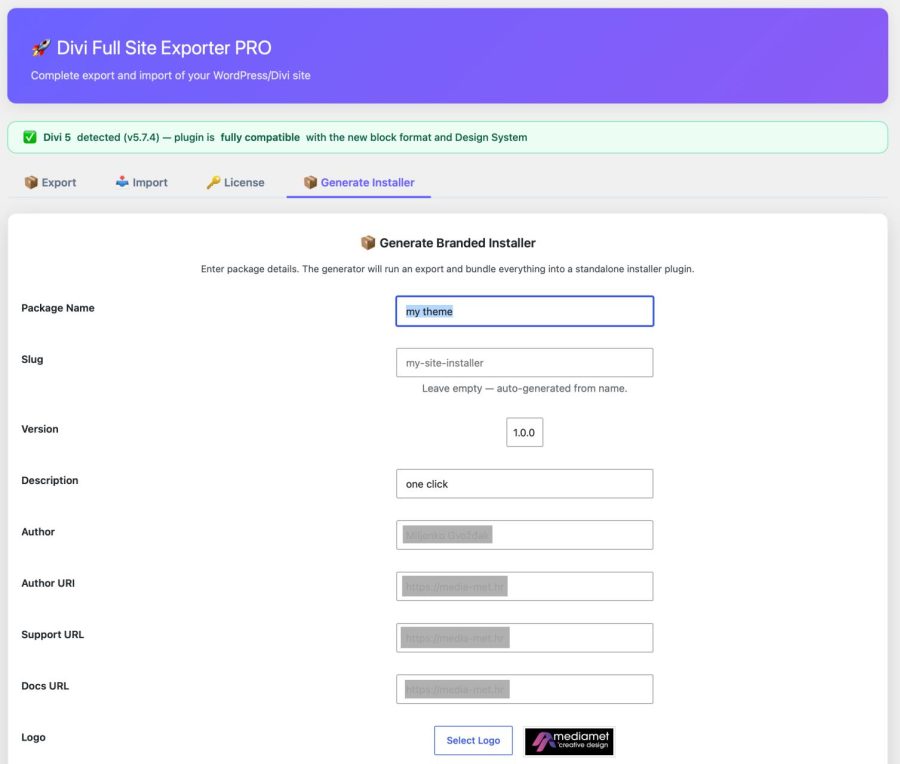
DFE PRO works on your end, as a tool for preparing your product. You build a Divi site with demo content, run the export, and the plugin generates a branded installation add-on – a standard WordPress plugin in ZIP format, with your name, logo, colors, Docs URL, and Support URL.
That ZIP is your product. Put it up for sale, send it to a client, distribute it wherever you want.
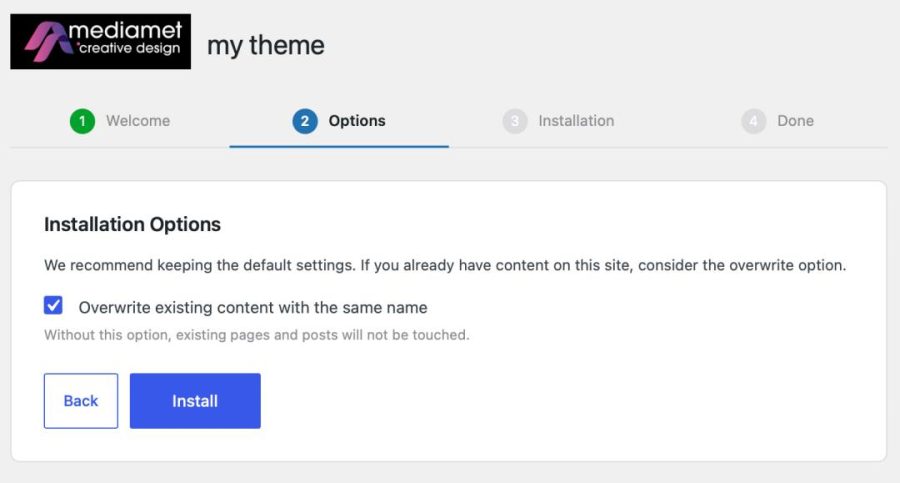
On the customer’s side, the experience is simple: they install the plugin like any other WordPress plugin and go through a 4-step wizard that guides them through the setup. The plugin reconstructs the entire site itself – content, design, structure, child theme – exactly as you built it.
No manual rearrangement. No steps the customer can get wrong. No difference between your demo and what the customer sees on their installation.
What’s included in the package
DFE PRO packages all Divi-specific layers that together make your template functional:
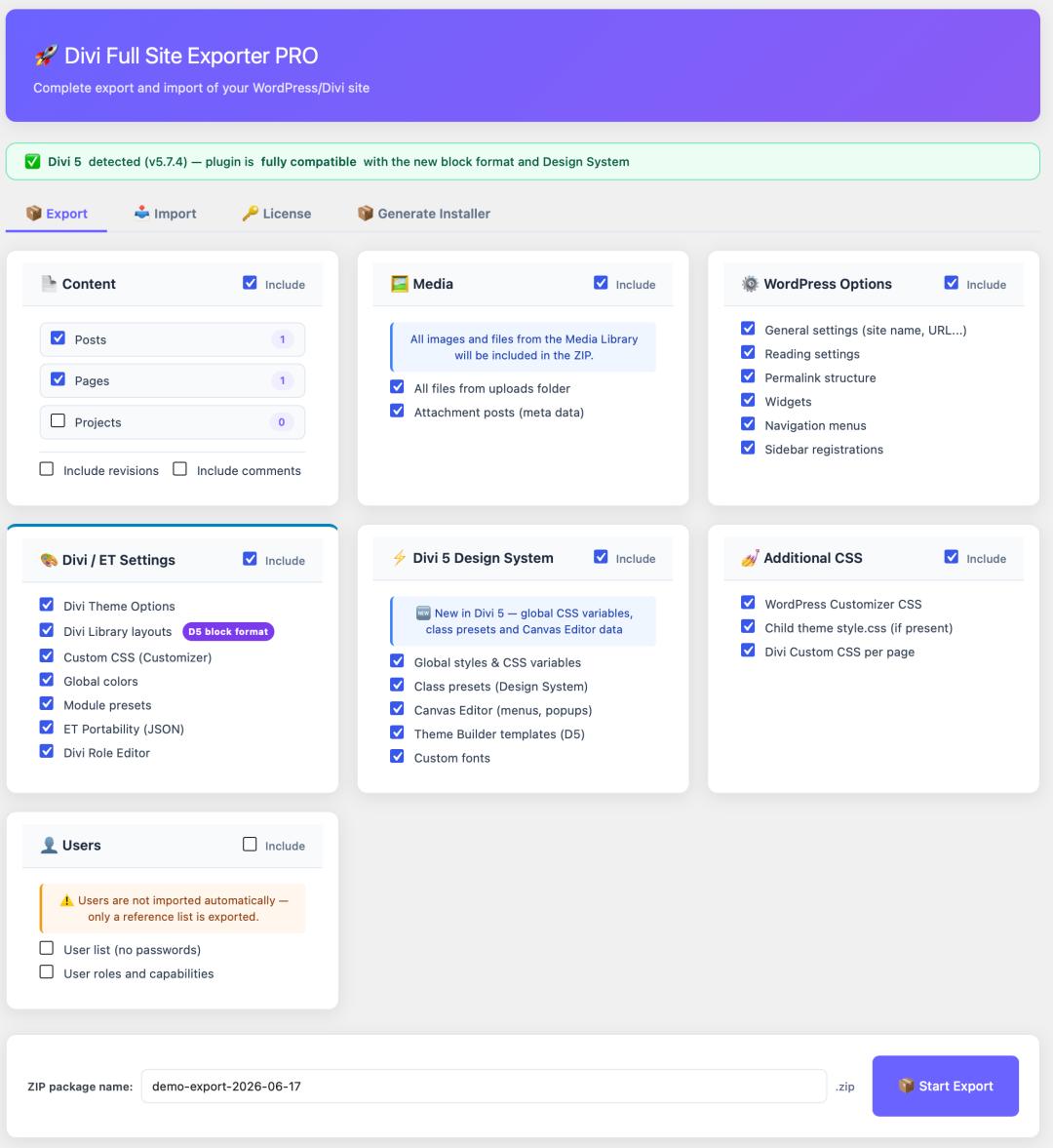
Content – pages, posts, custom post types, taxonomies with term meta data.
Media – complete media library with attachment meta data. Demo images are part of the package, no broken image links.
WordPress options – general settings, widgets, navigation menus, permalink structure.
Divi Theme Options – all Divi theme settings you have configured.
Divi 5 Design System – global colors, CSS variables, class presets. This is the core of your theme’s visual identity, and DFE PRO is the only tool that exports it completely.
Divi 5 Theme Builder – header, footer, blog, and page templates. The customer gets your navigation and footer, not empty zones.
Divi Library layouts – all global and local layouts in the correct Divi 5 block/JSON format.
Custom CSS – WordPress Customizer CSS, Divi per-page CSS, and child theme style.css.
Child theme – automatically packaged and installed on the customer’s side as part of the process.
Branded with your name
The generated installation plugin carries your name, your logo, your colors, and your contact links – not ours. The customer sees your brand throughout the entire installation wizard. Completely white-label.
This is not a minor detail – it’s the difference between “I’m buying a template from some developer” and “a plugin from a studio I follow is being installed.” For building recognition and repeat purchases, this is crucial.
Image Licensing – copyright protection in the distribution package
When packaging a theme for sale, you will encounter a question every designer must resolve: what about the photos and graphics you used in the design?
Stock photos have their own licensing terms – in most cases, you cannot redistribute them in a commercial package. Demo images you purchased for your preview cannot simply end up on the customer’s installation.
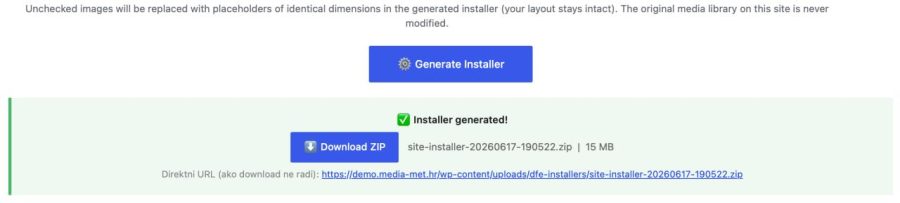
DFE PRO has a built-in solution in the Image Licensing section. The plugin lists all images used in the content – by default, all are marked for replacement. You uncheck only those you are allowed to distribute, and all others are automatically replaced with a gray placeholder of the original’s exact dimensions when the package is generated.
The customer sees the layout on installation exactly as in your demo – the same proportions, the same zones – but with neutral placeholders instead of images for which they don’t have a license. They replace them with their own photos, and the theme works perfectly.
Additionally, the Image Licensing section offers two extra tools: checking for oversized images, which warns about images that unnecessarily increase package size, and an unused images report, which shows what’s in the media library but not used anywhere.
Export/Import mode – for your own projects
In addition to generating an installation package, DFE PRO also includes a classic Export/Import mode that you use for projects you manage yourself: migrating a Divi site to a new domain, cloning a finished client project as a starting point for the next one, or a complete snapshot before major changes.
When importing, you choose exactly what to import – you can import only Divi Library layouts, only CSS, only content, or any combination. There’s no need to import the entire package if you only need a part.
Two modes of operation, one tool.
Screenshot
Screenshot
Automatic updates
DFE PRO updates automatically, just like official WordPress plugins. Every 12 hours, the plugin checks for new versions in the background and notifies you in the Plugins list if an update is available. Click “Update Now” and you’re done – as long as the license is active, you always have the latest version.
Who is DFE PRO for
Designers who sell Divi child themes and templates – deliver the entire demo, not a crippled layout. The customer gets the experience you designed.
Agencies delivering client projects – hand over a complete, functional site to the client in one package, without manual reconfiguration on their domain.
Freelancers duplicating proven builds – build an excellent template once for a specific client category and use it as a basis for all subsequent projects of the same type.
Technical requirements
For package generation (on your side):
- WordPress 5.8 or newer (6.4+ recommended)
- PHP 8.0 or newer (8.2+ recommended)
- PHP ZipArchive extension
- PHP memory: 128 MB minimum, 256 MB recommended
- Divi 5 (theme or builder plugin)
- Active DFE PRO license
For package installation (on the customer’s side):
- WordPress 5.8 or newer
- Divi 5 with its own active Elegant Themes license
- DFE PRO is not required – the generated installer works independently
Comparison with alternatives
| Feature | DFE PRO | Divi Portability | WP Export | All-in-One Migration |
|---|---|---|---|---|
| Generated standalone installation plugin | ✓ | ✗ | ✗ | ✗ |
| Customer doesn’t need any tools | ✓ | ✗ | ✗ | ✗ |
| White-label branding | ✓ | ✗ | ✗ | ✗ |
| Image copyright protection | ✓ | ✗ | ✗ | ✗ |
| Automatic updates from WP admin | ✓ | – | – | ✗ |
| Divi 5 Design System | ✓ | Partial | ✗ | ✓ |
| Divi 5 Theme Builder | ✓ | Partial | ✗ | ✓ |
| Child theme in package | ✓ | ✗ | ✗ | ✓ |
| Media included | ✓ | ✗ | ✗ | ✓ |
| Selective import by components | ✓ | ✗ | Partial | ✗ |
| Intended for theme distribution | ✓ | ✗ | ✗ | ✗ |
Licensing and pricing
DFE PRO costs €99.00, in our webshop, with an unlimited number of installations. Use it on all projects you develop without restrictions.
The license includes all updates and email technical support. You can deactivate a domain and move the license to another domain at any time, without contacting support.
Frequently Asked Questions
Does my customer need DFE PRO to install my theme?
No. The generated installation package is a standalone WordPress plugin – the customer installs it like any other plugin, without any additional tools. The customer must have their own active Divi license (Elegant Themes subscription) for the Divi theme to work on their installation.
What if the customer doesn’t have Divi installed?
The installer will still import the content, but it won’t activate the child theme and will display a clear warning that Divi needs to be installed. The site won’t break – the customer just needs to add Divi, and the theme will activate.
Can I control what goes into the package?
Yes. You choose which post types, media, and Divi components to include. You can create a minimal package or a complete demo with all content.
Is the branding truly white-label – will it show that it was made with DFE PRO?
No – the generated plugin carries exclusively your name, logo, and contact information. The customer will not see that the package was generated with the DFE PRO tool.
What happens to the stock photos I have in the design?
In the Image Licensing section, all images are by default marked for replacement with a placeholder. You uncheck only those you are allowed to distribute. The placeholders have the exact dimensions of the originals, so the layout remains intact.
Can I import only Divi Library layouts, without other content?
Yes – when importing, select only “Divi settings” and deselect everything else.
Can I use DFE PRO without Divi?
Yes – WordPress content, media, and options can be exported and imported even without Divi. Divi-specific options will be empty, but other content will work normally.
What happens to paid plugins that the theme uses?
Licenses for third-party commercial plugins are not transferable. The customer must install and activate them separately.
Does it work with multisite WordPress installations?
Currently, only on single-site WordPress installations. Multisite support is planned.
The difference between “selling a Divi layout” and “selling a complete Divi site” lies in the experience the customer receives. DFE PRO makes that difference real – the customer goes through a 4-step wizard and in a few minutes has a functional site that looks like your demo. No technical steps, no manual rearrangement, no disappointment.